Backup and Disaster Recovery

Backups you can restore, in an order the business has agreed.

Almost every business we assess has backups running. Far fewer can say which system comes back first, how long it can be down, or when a restore was last tested.

  • Daily offsite copies
  • Documented recovery order
  • Tested restores
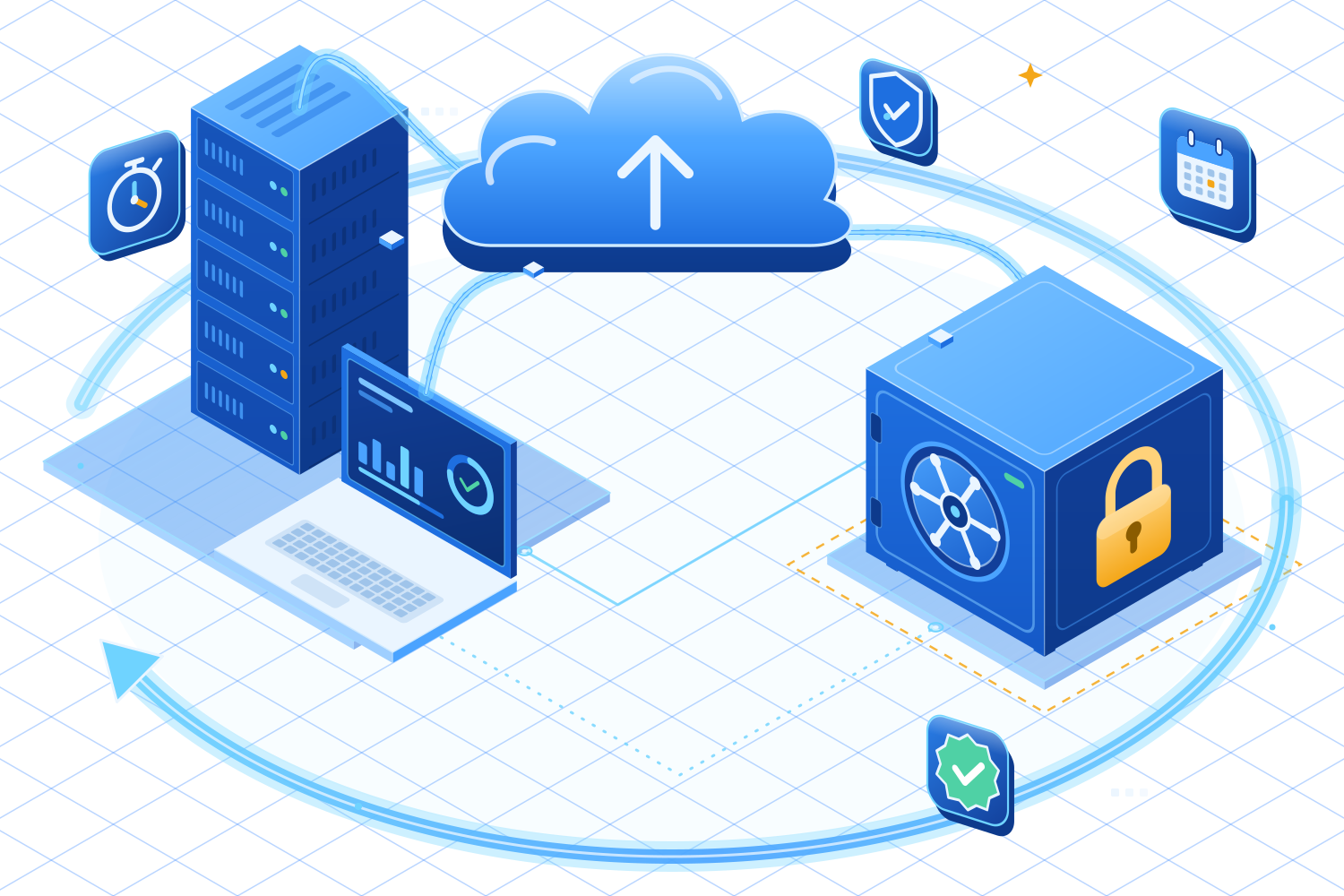
An isometric illustration of a server and laptop sending data to the cloud and down into a locked vault, with a large recovery arrow sweeping around the scene.

Recovery targets

How long can each system be down?

In an outage, the first question is what has to be working again, and by when.

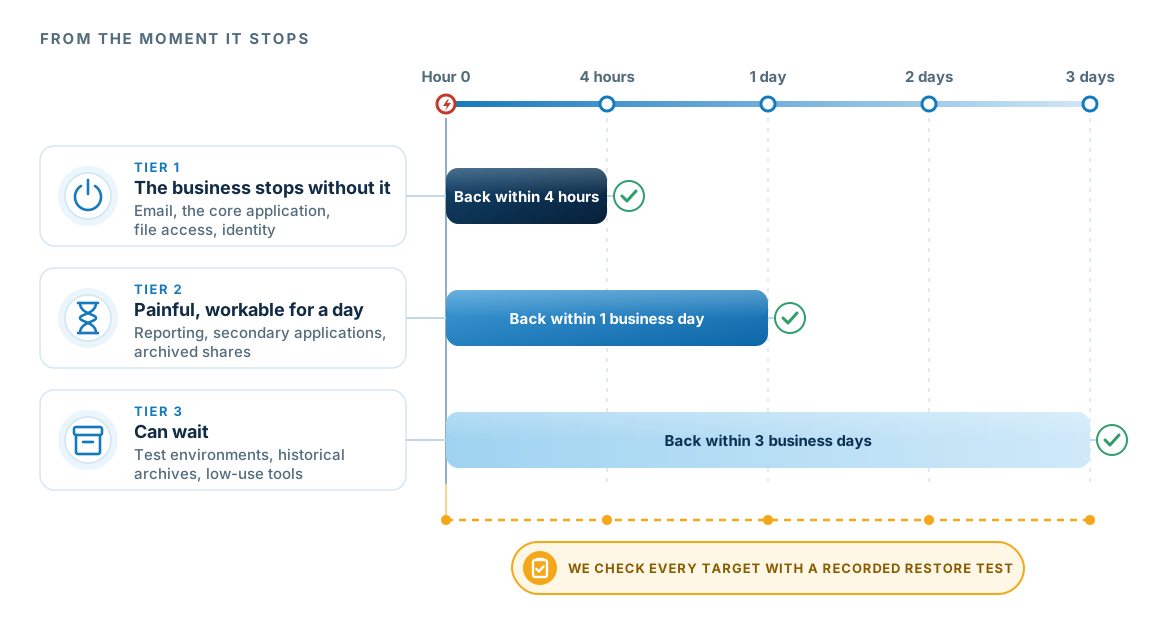
A timeline from hour zero to three days showing three service tiers returning at four hours, one business day and three business days, with a note that we check every target with a recorded restore test.
Illustrative targets. Yours are set with you during the recovery review.
  1. The business sets the orderWe agree the order with the people who run each service, instead of setting it server by server.
  2. The targets drive the designThe design and the cost follow from these numbers. If they are not set before an outage, recovery takes as long as the current setup allows.
  3. Then we test itWe run a restore against each target and record the result. A configured backup does not show that a restore will work.

The design

Where the copies live.

The most important design decision is where the last copy sits, and who can reach it.

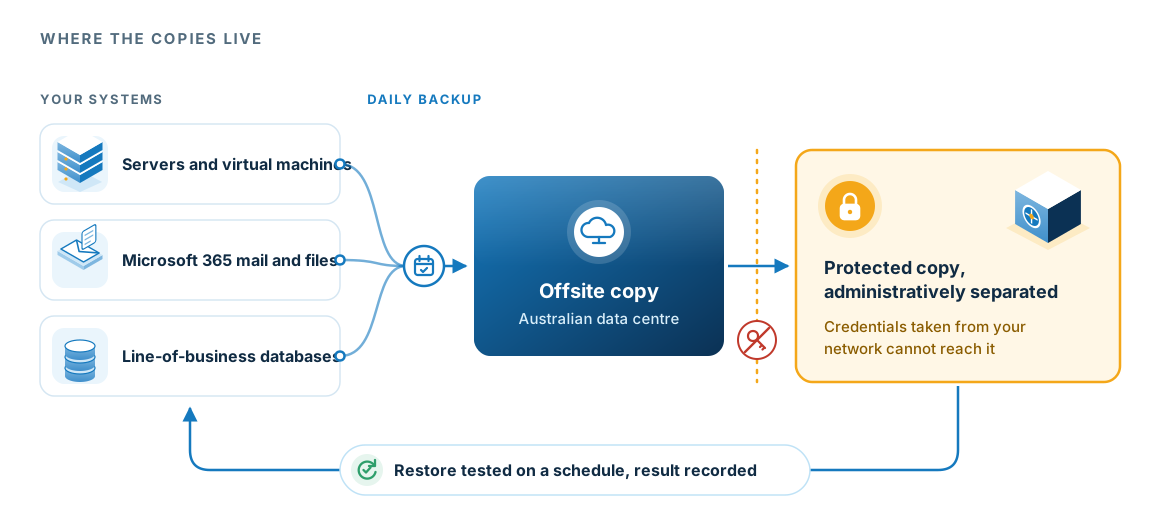
Servers, Microsoft 365 and line-of-business databases backed up daily to an offsite copy in an Australian data centre, then to a protected copy that is administratively separated so credentials taken from your network cannot reach it, with restores tested on a schedule.
If an attacker takes credentials from your network, they still cannot reach the protected copy, so you can recover from ransomware.
  1. What we back upServers, Microsoft 365 mail and files, and the databases behind your business systems.
  2. Offsite, in AustraliaA daily copy kept in an Australian data centre, away from your premises.
  3. Out of an attacker's reachThe protected copy is administered separately from your environment.
  4. Restores testedWe run test restores on a schedule and record each result.

The work

How we plan recovery.

We build the plan with the people who run the business, in five steps.

  1. 01

    Rank the services

    We list the business services and rank them with the people who run them.

  2. 02

    Set the objectives

    For each one, the business sets how long it can be down and how much data it can afford to lose, in plain language.

  3. 03

    Design the copies

    We design the protected copies to match: what is held, where, for how long, and under whose control.

  4. 04

    Write the order

    We write down the recovery order, including the dependencies that have to come back before the main business system.

  5. 05

    Test it

    We run a restore, record the result against the target, and fix whatever the test found.

Scope

What the service covers.

Backup

The copies themselves.

  • Daily offsite backup with monitoring
  • Mailbox, SharePoint and OneDrive backup for Microsoft 365
  • Server and virtual machine image backup
  • Retention set to the business requirement

Recovery planning

The plan around them.

  • Business service priority list
  • Recovery objectives agreed with the business
  • Documented recovery order and dependencies
  • Roles and contacts for the first hour

Testing and evidence

Showing that recovery works.

  • Scheduled restore testing
  • Recorded date, scope, result and gaps
  • Fixes for anything the test found
  • A record you can give an insurer or auditor

Questions

Questions about backup and recovery.

Is Microsoft 365 not backed up already?

Microsoft protects the platform and keeps deleted items for a limited period. That retention is not designed to recover from your own deletions or a compromised account, and a separate copy you control covers both.

How long would recovery take?

It depends on the systems and on the objectives you set. That is why we agree the objectives in advance, while there is time to think about them.

What if an attacker gets our admin credentials?

Protected copies are held with administrative separation, so credentials taken from your environment cannot reach them. We treat this as the most important design decision in the service.

Do you test restores?

Yes. We run a restore and record the date, scope, outcome and any gaps against the target.

Do you work with insurance brokers?

Yes. We have provided disaster recovery services to Steadfast brokers since the mid-2000s, including the continuity work that sits behind FSRA obligations.